Add and refine concepts
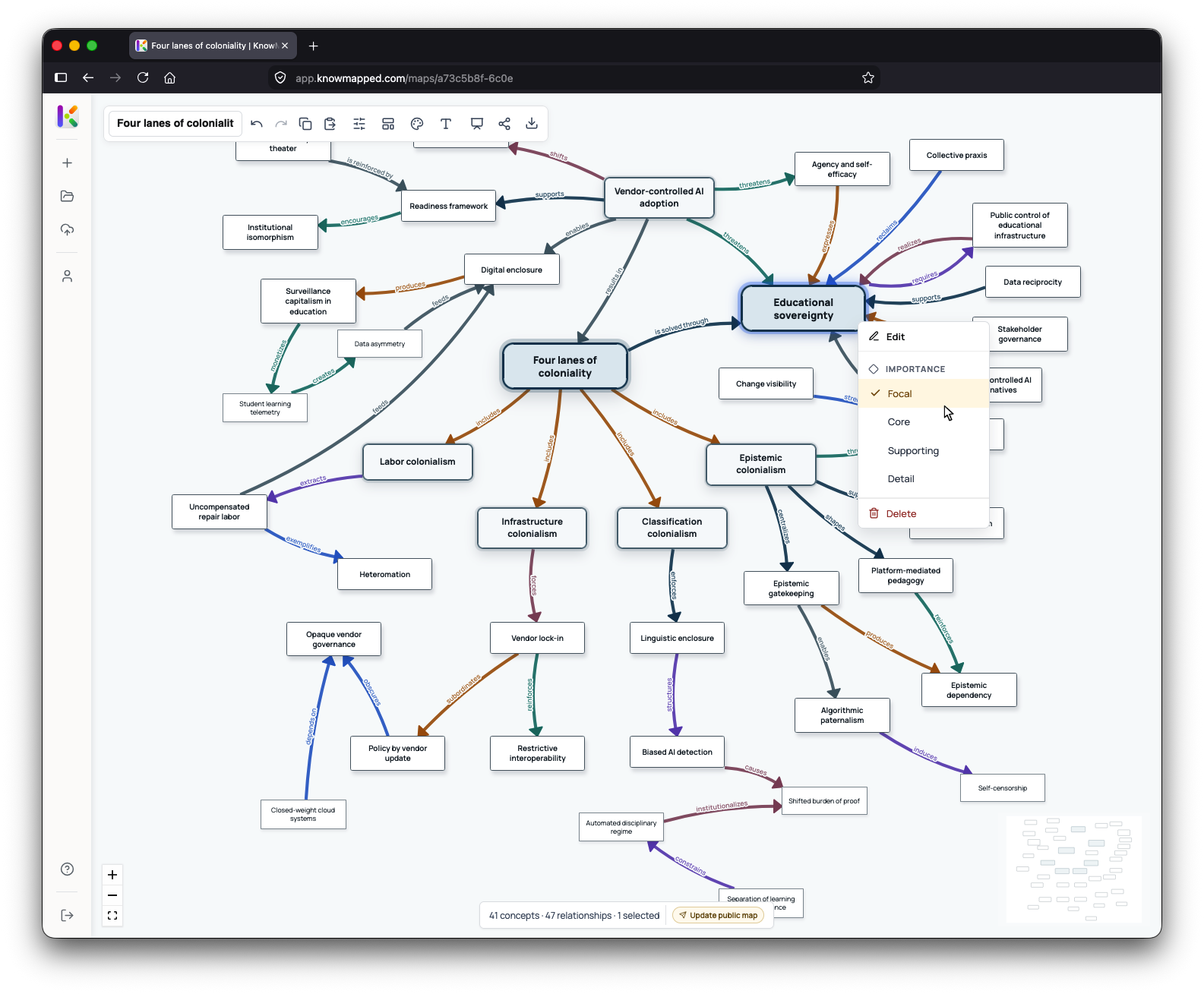
Create concepts as you need them, then edit their labels, descriptions, importance, and supporting information as the map develops.
Create a map from scratch or use source material to create an editable starting point. Define concepts, describe their relationships, arrange the structure, and shape the map around what you want to understand or communicate.
KnowMapped is built around relationships. Describe how concepts support, depend on, challenge, influence, or otherwise relate to one another.
Create from scratch
Add concepts one at a time, describe what they mean, and connect them with relationships that explain why the connection matters. Let the structure develop with your thinking rather than forcing everything into a predefined hierarchy.
Create concepts as you need them, then edit their labels, descriptions, importance, and supporting information as the map develops.
Connect concepts and explain what the relationship means instead of relying on a line alone to carry the meaning.
Move concepts, group related ideas, and reorganize the map until the structure reflects what you are trying to show.
Use layout, color, typography, emphasis, and other visual choices to make patterns and areas of importance easier to see.
Create from source material
KnowMapped can analyze supported documents to identify candidate concepts and relationships across the source. Review what it finds, change what does not fit, reorganize the structure, and continue working from there.
Identify related concepts even when they appear in different sections rather than treating each paragraph or page in isolation.
Generate descriptions of how concepts appear to relate, then review and refine those relationships yourself.
Edit, remove, add, or reorganize concepts and relationships after generation. The generated map remains an editable starting point.
Relationships
In KnowMapped, a connection can carry its own meaning. One idea might enable another, create tension with it, depend on it, respond to it, support it, or relate in another specific way.
The result is more than a collection of connected topics. The map shows how the ideas relate.
Working with larger maps
As maps grow, KnowMapped gives you ways to focus, reorganize, and work across larger structures without losing the surrounding context.
Bring one part of a large map forward while the surrounding network remains visible. Work with a local area without stripping away the context that gives those relationships meaning.
Connect ideas across clusters, themes, and levels without forcing everything into a single parent-child structure. The same concept can matter in several parts of the map at once.
Use bulk tools to work with groups of concepts and relationships when one-at-a-time editing becomes inefficient.
Position, color, typography, emphasis, and grouping can show clusters, contrasts, pathways, and areas of importance.
Start from scratch with a free account, or use generation credits when you want KnowMapped to create an editable starting map from supported source material.