
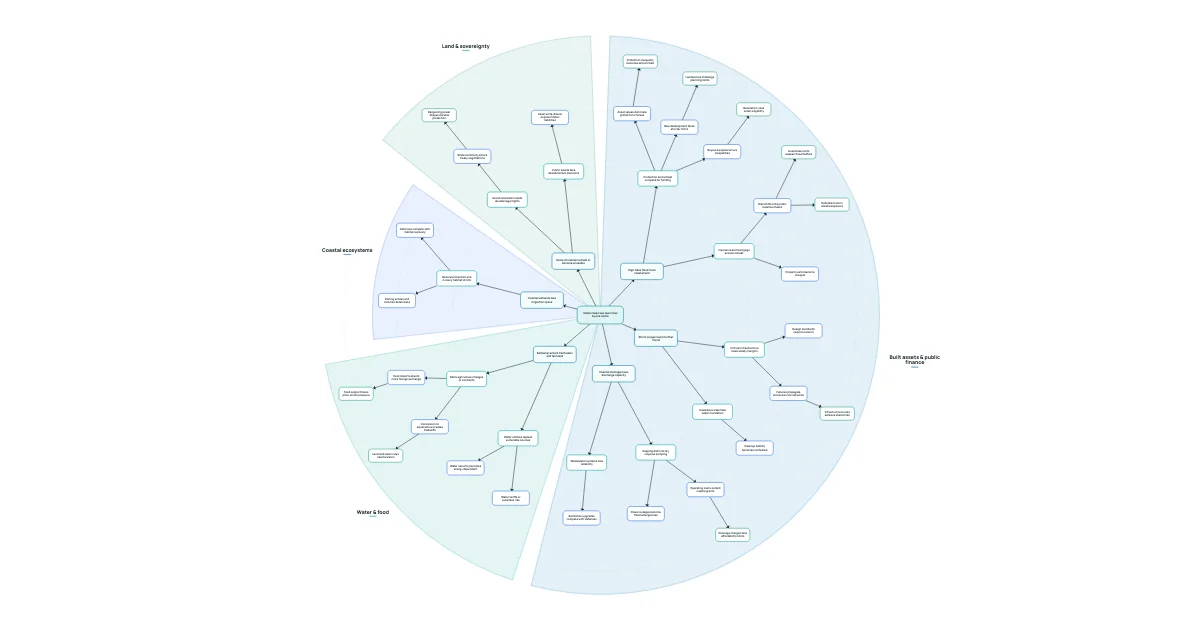
Working with uncertainty
Strategic foresight involves exploring several possible futures and considering what they mean for decisions in the present. Mapping helps us document assumptions, examine relationships between drivers of change, and consider how different conditions might influence outcomes.
Using KnowMapped in a foresight process
Horizon scanning
Organize signals of change gathered through research, observation, and conversations. Connect emerging developments to related trends, existing knowledge, and questions for further investigation.
Mapping drivers of change
Examine relationships between political, economic, social, technological, legal, and environmental developments. Document dependencies, interactions, and assumptions that may influence how a situation develops.
Scenario development
Develop maps of the conditions, assumptions, and relationships that characterize different possible futures. Link related maps to compare scenarios and examine their implications.
Exploring consequences
Use futures wheels to examine the direct and indirect effects of a change. Develop branches representing possible consequences across several domains.
Backcasting
Begin with a description of a desirable future and work backward to examine the conditions, decisions, and developments that might contribute to its realization.
Informing strategy and policy
Bring together findings from foresight exercises to examine strategic options, identify vulnerabilities, and document the assumptions behind proposed actions.
Two mapping methods for foresight
Knowledge maps
How are developments related?
Use knowledge maps to examine interactions between trends, organize research findings, describe scenarios, and document assumptions.
Futures wheels
What might follow from a change?
Use futures wheels to explore possible consequences of events, decisions, and trends, including effects that may arise from earlier consequences.
Before, during, and after a foresight workshop
Prepare maps from background research before a workshop. Develop them with participants during the session, then revise and share the results afterward. KnowMapped allows the work of a workshop to continue beyond the event itself.
Before
Prepare background maps, organize research findings, and identify questions for participants.
During
Develop maps together, explore consequences, record alternative interpretations, and present emerging findings.
After
Review the results, add evidence, revise assumptions, and share maps through publications, presentations, or interactive links.
Real-time collaboration and live viewing are Professional capabilities. Standard presentations, exports, and public sharing are available with both plans.
Working with AI in foresight exercises
Generate knowledge maps from reports and research documents, or connect an AI assistant through MCP to create and revise maps through conversation. Use the resulting material to inform discussion, investigate assumptions, and develop alternative interpretations.
Document generation uses credits. MCP access is included with Professional.
Applications across sectors
Government and public policy
Examine emerging developments, explore the consequences of policy decisions, and consider the implications of change across different areas of public life.
International development
Explore relationships between social, economic, environmental, and institutional developments. Document assumptions behind development strategies.
Organizational strategy
Examine changes in technology, markets, work, and society to inform discussions about organizational priorities and strategic options.
Education futures
Explore how changes in learning, technology, demographics, and employment could influence education systems and institutions.
Sustainability and environmental change
Investigate relationships between environmental developments, infrastructure, economic activity, public policy, and community wellbeing.
Free and Professional accounts for foresight work
Free: Individual foresight research
Develop knowledge maps and futures wheels, organize findings, explore consequences, and present or publish your work.
$0
- Up to 25 active maps
- Both mapping methods
- Presentations and guided tours
- Standard exports
- Interactive publishing
Professional: Collaborative foresight and consulting
Develop maps with colleagues and workshop participants, connect AI assistants, and prepare maps for professional publications.
$49, one-time purchase
- Up to 1,000 active maps
- Real-time collaboration
- Live viewing
- Advanced exports
- Watermark-free publishing
- MCP and 100 generation credits
Methodological resources
- OECD. (2025). Strategic foresight toolkit for resilient public policy: A comprehensive foresight methodology to support sustainable and future-ready public policy. OECD Publishing.
- United Nations Development Programme. (2026, June 17). UNDP’s foresight for strategic planning toolkit.
- European Commission. (2026, October 28). Futures Wheel workshop. Knowledge4Policy.
- Education Futures. (n.d.). Education Futures.
Frequently asked questions
Should I start with a knowledge map or a futures wheel?
Use a knowledge map to examine relationships among signals, drivers, actors, and ideas. Use a futures wheel to explore what could follow from a particular change. You can use both in a project and link related maps.
What would I need to pay for?
Creating knowledge maps and futures wheels yourself is free. Professional costs $49 once and adds collaboration, advanced editing and exports, and MCP access for compatible AI assistants. Generating maps from documents requires credits on either tier; Professional includes 100 credits.
Does KnowMapped find signals and trends for me?
You bring findings from your own scanning and research into KnowMapped to connect them, record sources, and examine their implications. You can also use AI to generate a draft knowledge map from a document, using generation credits.
Can I use it during a workshop with clients or colleagues?
You can present a map, add contributions during the discussion, and share the result afterward. Professional supports real-time collaboration on Professional-owned maps when participants need to edit together. Both tiers include presentations, standard exports, and interactive publishing.
Can I include the maps in a client report?
You can export SVG, PDF, PNG, or JPEG figures for reports and presentations. You can also publish an interactive map for readers to explore alongside the report. Professional includes watermark-free output and additional export formats.